
Choosing A Website Platform For Your Small Business
Whomever you ask for advice, you’ll be furnished with a different personal opinion, people get fiercely loyal to their chosen platform. I’m going to try and set out some clear facts for you as best I can.
I will always recommend that you do your own research but when looking at the comparison videos and blog posts, try and only assess using only those most recently published. The technology and platforms are constantly evolving and I’ve watched some pieces today that were less than six months old and could see that things they commented on have already changed, usually improved.

“Whenever you see a successful business, someone made a courageous decision”
Peter Drucker
Time to choose the best platform for your small business website?
What is a website “platform”?
It’s the software that…
…”enables you to build solutions that enable delivery of content, services and even applications over the HTTP protocol should be considered a web-platform”.
In other words, it’s the software you build your website with.
In all likelihood, you’ll be looking at 3 main choices. WordPress, Wix and Squarespace (based on my experience of speaking to small business people).



I’m going to try and speed through some quick comparisons and make it as non “techy” as possible.
WordPress – A quick overview
There are 3 “types” of WordPress
Option 1: WordPress.org (Used alone – The Coder’s choice)
-
Free software (“The real WordPress” 100% Open-source*)
-
Moderately difficult and technical skills are advantageous (not essential but confidence with software pretty essential)
-
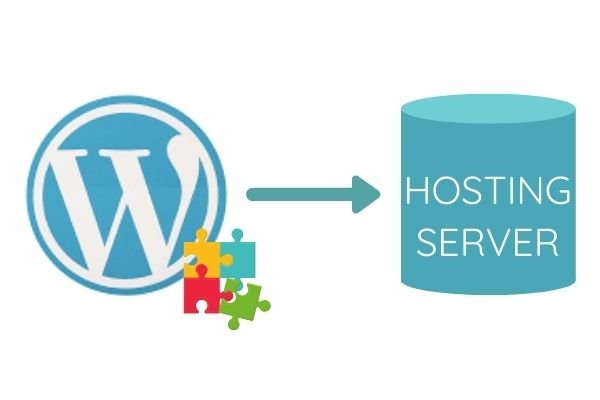
Uses “Plugins**” for functionality, which are a mixture of free and paid tools that range from social media icons, email sign-up boxes, SEO tools, etc. There are thousands, which are independently developed and vary in reliability, but offer huge flexibility (Jigsaw pieces)
-
Self-hosted *** – You find and pay a hosting company for server space, for your website to live on. If you go for this WordPress option you will need to research the prices, reliability and speeds that each hosting company offers
* Open-source / free software that anyone can use and change
** Plugins / a bit of software that bolts onto your website to perform a specific task
*** Hosted / Self Hosted means you need to find server “space” for your website to live on the internet, Hosted means that the company providing the software will also give your website a “space” to live on their servers.
Option 2: WordPress.com (The name is misleading this is .com as opposed to .org)
-
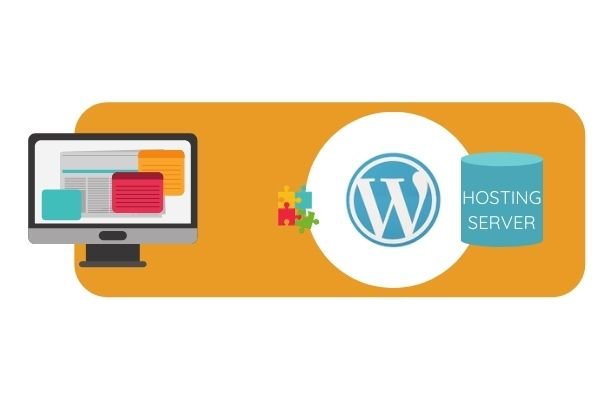
Paid software that covers the hosting too – this is a company effectively providing access to WordPress.org within their own builder and with their own hosting
-
Offers a more user friendly front end and templates with WYSIWYG drag and drop over the top of WordPress.org to help with the build (What You See Is What You Get)
-
Easy to moderate (technical skills strongly recommended for further development)
-
Uses “Plugins” for functionality, which are a mixture of free and paid tools that range from social media icons, email sign up boxes, etc. There are thousands, which are independently developed and vary in reliability, but offer huge flexibility.
Option 3: Drag & Drop Page Builders eg. Divi, Elementor, Beaver Builder etc.
-
Paid software
-
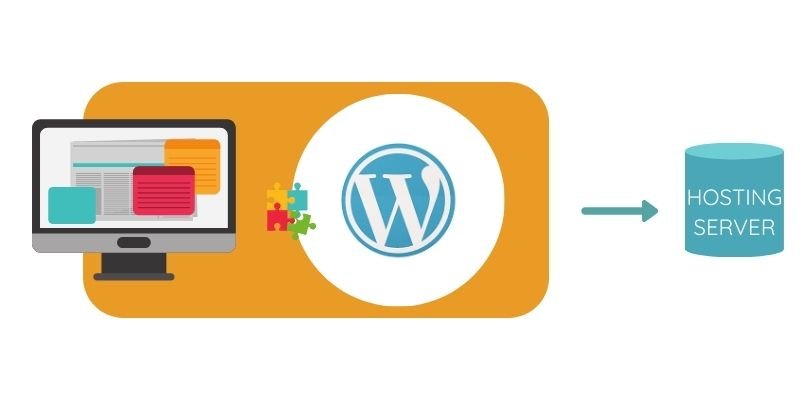
Offers a front end and templates with WYSIWYG sitting over the top of WordPress.org to help with the build. There are many companies offering their own versions of this.
-
Easy to moderate (technical skills strongly recommended if development required)
-
Uses “Plugins” for functionality, which are a mixture of free and paid tools that range from social media icons, email sign up boxes, etc. There are thousands, which are independently developed and vary in reliability, but offer huge flexibility.
-
Self hosted – You find and pay a hosting company for server space, for your website to live on. If you go for this WordPress option you will need to research the prices, reliability and speeds that each hosting company offers. The Website Builder may offer a hosting option of their own too
NB, With any of these WordPress.org options if there is a problem you will need to go to the company, forums or hosting platforms that deal with that particular element, there is no one point of contact. You will need to take control or pay an expert to act for you in the event of a crash, hack or problem. WordPress.com can offer a little more centralised support.
Wix – A quick overview
-
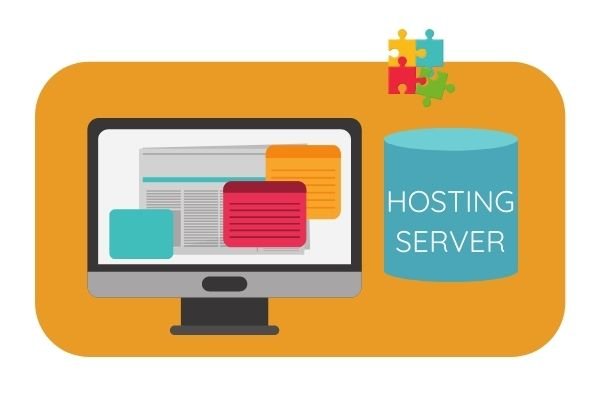
Paid software that covers the hosting
-
Simple drag and drop (WYSIWYG)
-
Unstructured – you can arrange anything, anywhere, in any colour size etc. for complete freedom, as per WordPress
-
Moderately easy at entry-level (you can hire help if you need extra coding and development)
-
Uses “Plugins” for additional functionality beyond what is included in the basic offering, which are a mixture of free and paid tools. Check their website for a fuller list
Squarespace – A quick overview
-
Paid software that covers the hosting
-
Simple drag and drop (WYSIWYG)
-
Structured – Snap to grid layout, curated and controlled palette, fonts and spacing etc. for a very design led feel
-
Easy (you can hire help if you need extra coding and development)
-
Most of the functionality is already inbuilt as part of the offering, though 3rd party integrations are available. You won’t need a raft of plugins in the way Wix and WordPress do.
At this point, I’m going to narrow the conversation to WordPress and Squarespace and try to remain impartial with the commentary.
Anecdotally, WordPress sites rank higher on organic searches (pop up near the top when someone searches Google but not as an ad) than those built on other platforms, but I’ve listened to experts explaining, very credibly, that this is in large part because these websites are being built by experienced web developers who understand and know how to optimise SEO. If the content of your website is good and the SEO fields are used correctly, then there’s no significant advantage.
The platform doesn’t dictate SEO success, the knowledge of SEO good practice does!
(at least at entry level)
An other argument that you’ll hear is that Wix, Squarespace, and other such platforms have a slow “Architecture” (the way their software is built) and get penalised by Google.
That’s true, BUT, can also be said of Divi, Elementor, and WordPress.com.
WordPress.org used without an additional builder is fast, Google can get straight to the data without any obstacles that the Web Builder platforms use, but once you start adding plug-ins to any WordPress-based site, the speed gets slower with each and every one. The choice of hosting company will also play a major factor with any website, though isn’t an issue to worry about with Hosted options.
When all is said and done, you just need to keep your design, content, and images well prepped, whichever option you select. Whichever platform you choose all the prep work and planning should be the same. (I’ve written a course that takes you through all these steps – It’s exactly what I wish I’d had when I started website building but hindsight is 20:20 vision)
Website Platform Pros & Cons
I’m not pretending to have covered everything but I’ve tried to capture important stuff and key points of difference.
DESIGN
SQUARESPACE
PROS
-
-
Guaranteed consistent, sleek, elegant, professional, sharp look
-
Takes a lot less time to build, as 90% of the distraction is removed
-
CONs
-
-
Much less creative freedom unless you use CSS (not too difficult – lot’s of online code and help)
-
WORDPRESS
PROs
-
-
Total freedom of design
-
CONs
-
-
Unless you’re a talented graphic designer there’s a strong risk that you’ll end up with a messy design stew
-
Creative freedom is a time thief, prepare to lose hours or days playing around
-
FUNCTIONALITY
SQUARESPACE
PROs
-
-
The most complete choice off the shelf. Functionality that other platforms offer as plugins are generally standard offering within Squarespace, with no hidden costs or dealing with a secondary supplier. Please don’t confuse plugins and use of other packages altogether such as Acuity or Calendly etc.
-
All updates and development are centrally created so no risk of incompatibility developing with a plugin and only one point to contact for help.
-
CONs
-
-
It doesn’t have absolutely everything (nothing does) but there are a wide range of 3rd party plugins being created for Squarespace now with easy code injection. It’s always important to check cost of any extra software.
-
WORDPRESS
PRO’s
-
-
With 1000’s of different plugins to choose from (some free some chargeable), more flexibility, BUT the relevance of this depends on your business plans and process / activity requirements.
-
CON’s
-
-
Need to carefully scope out costings as the monthly costs could grow more than anticipated.
-
Each plugin is created by a separate business and longterm compatibility and support aren’t guaranteed.
-
Too much choice when it comes to plugins. Just because they exist doesn’t mean you need them. Be careful not to get distracted with shiny object syndrome and work out what you really need.
-
TEMPLATES & THEMES
PROs
-
-
Squarespace 7.1 doesn’t need any change of templates or theme, the are multiple layout building block options available as standard or you can start from a blank page. The colours and fonts are easily set centrally. It’s hard (not impossible) to make a messy website in Squarespace.
-
1000’s of Themes to choose from for free with any of the WordPress builders, alternatively you can buy a Theme from a designer. Buying a designer theme is a great way of getting a professional designer look without design skills.
-
You can build from scratch using a builder, without advanced technical skills (that isn’t to say it doesn’t take some design skill and perseverence).
-
CONs
-
-
WordPress.org provides great scope – but only for the technically skilled!
-
Themes may go out of date or become unsupported. Designer themes could also be used by your competitors, giving your sites very similar vibes.
-
ECOMMERCE
-
Squarespace – Functionality included in the plans as standard, more advanced functionality available in higher-level packages.
-
WordPress – Ecommerce chargeable Plugins such as Shopify, WooCommerce (Both of which can also be used stand-alone), so the cost should be added to the monthly costs when comparing.
SUPPORT
Squarespace definitely has the edge for non tech end users. You have direct access to the company that write the software, maintain the updates and do the hosting, something that simply isn’t possible with WordPress. Squarespace has online live chat 16 hours per day with fantastically helpful staff who go out of their way to help, and you can click to get a transcript of the live chat emailed through afterwards for reference.
CHANGING TO A DIFFERENT WEBSITE PLATFORM
This might seem an odd thing to consider at this stage but it’s important to know. Squarespace includes an export function that will export your web content to WordPress files (I’m not sure about images but it’s recommended that you keep backups of those anyway). This means that should you change in the future you aren’t starting completely from scratch.
People will tell you that you don’t “own” your website if you use Squarespace because they own the software and control the hosting. I’m possibly missing something because I don’t own Divi, WordPress, or any of the hosting either, I’m effectively leasing or buying access. Ultimately it is the content that matters and as I’ve just explained, this can be exported out of Squarespace and imported into WordPress. WIth regards to “Owning” and WordPress. If you are with a host you don’t like, you can just move the site without any rebuilding layouts (content already there) – perhaps this is what is meant.
When all is said and done, both platforms will do the job and if they don’t there’ll be a plugin or 3rd party way around it.
Check what your requirements are going to be and see whether they can be catered for.
Personal bit…
I’ve used WordPress, Wix, and Squarespace
I honestly love both Squarespace and WordPress!
I was resistant to WordPress for years but now use it and love it but it is significantly more time-consuming and more complex to use. It’s also more demanding in terms of maintenance, but it gives me so much scope to create gorgeous sites.
Probably on the basis of thoughtfully crafted software that’s a pleasure to work with for hours each day to create beautiful sleek sites, Squarespace would be my personal choice, that said, I’ve very happily constructed my site “The Business Whisperer” on WordPress. You can take a look in the Portfolio on that site to see the results on each platform, it’s clearly marked which I’ve used.
Nothing is 100% perfect but I’ve wasted far less time and achieved distinctly more polished results aesthetically with Squarespace, as its inbuilt design rules far exceeded my early creative endeavors in the early days. I’ve not yet found anything I’ve not been able to do in Squarespace. I’ve maybe had to rethink my approach occasionally and any compromise has been something I could live with.
WordPress is amazing once you start getting to grips with it but the learning curve is significantly steeper and I would argue that if you aren’t using a Theme you need a stronger design eye.
When all is said and done I’m here to help you choose the best option for you, neither are perfect and both have great strengths too. I’m happy using either.
DECISION TIME
-
Don’t agonise over this for too long, whatever you choose will work
-
Nothing will be perfect
-
Everything will have pros and cons
-
Don’t have sleepless nights hunting that elusive magical unicorn that you know doesn’t exist
“The risk of a wrong decision is preferable to the terror of indecision”
– Maimonides